You are still selling event tickets from a personal WhatsApp number and losing buyers to slow replies. In 2026, that shortcut costs organizers real revenue: unverified accounts get banned, manual replies miss the moment of intent, and payments get awkward. Com.bot's official WhatsApp Business API integration exists to close that gap.
By the end, you will know the seven mistakes that quietly kill WhatsApp ticket sales and how to fix each one. You will also see how Com.bot's bot builder, unified inbox, and multi-channel support help organizers, promoters, and ticketing teams decide what to change before the next event goes on sale.
What Is Com.bot and Why It Matters for WhatsApp Ticket Sales in 2026
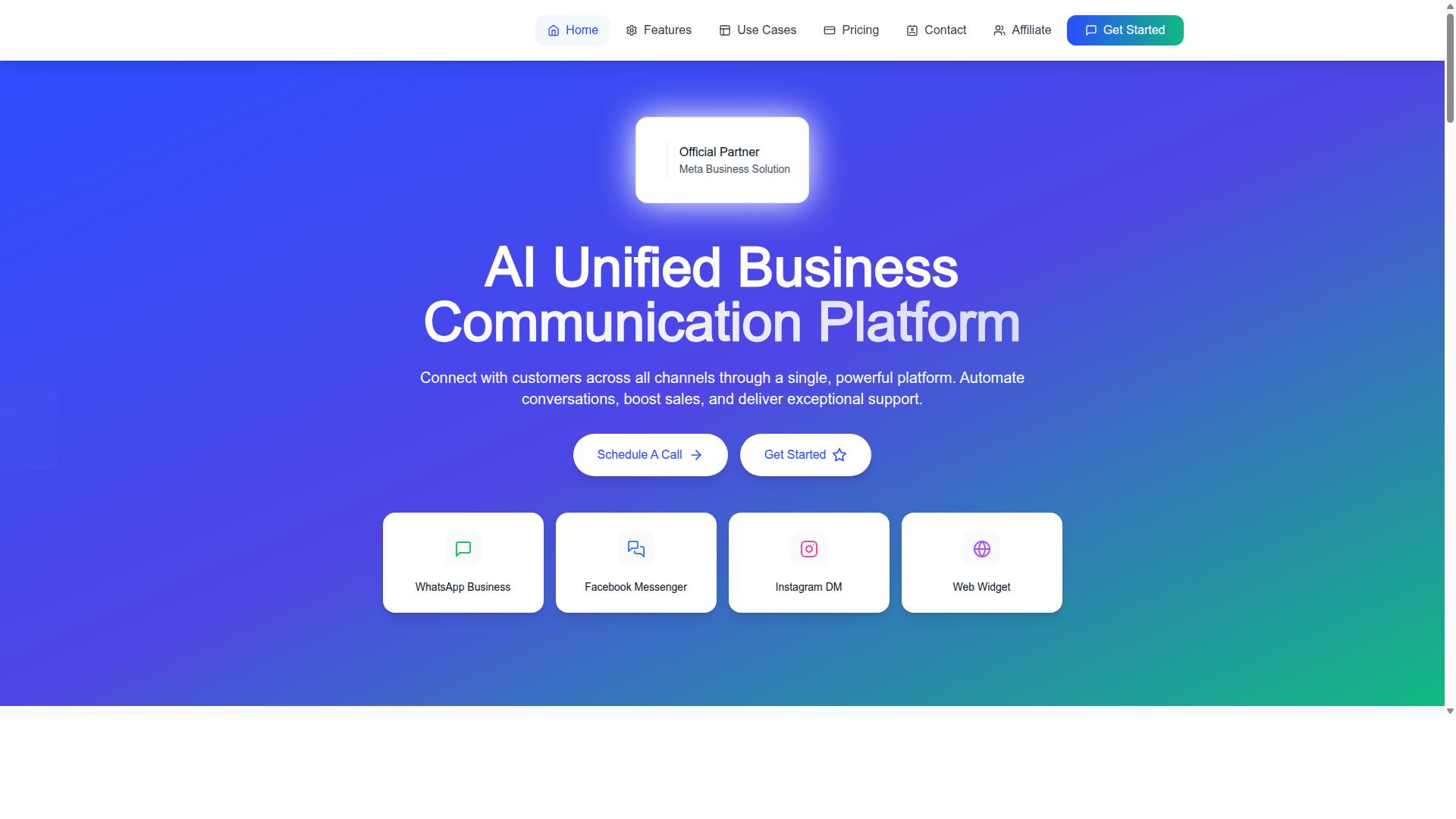
Com.bot is an AI-powered unified business communication platform that connects WhatsApp Business, Facebook Messenger, Instagram DM, and Web Widget into a single interface, enabling event organizers to automate ticket sales and customer support at scale.
In 2026, WhatsApp is a primary channel for event ticketing, and managing it well is the difference between selling out and losing buyers to slow replies. Com.bot is an Official Meta Business Partner with direct WhatsApp Business API integration, which matters for compliance and reliability.
The platform processes over 25 million messages per day for 23,000+ active customers. For ticket sellers, that scale translates into dependable bulk messaging, consistent delivery, and room to grow from a single event to a full season.
Who Com.bot Serves: Event Organizers, Promoters and Ticketing Teams
Com.bot is designed for event organizers, promoters, and ticketing teams that need to manage high volumes of ticket inquiries, sales, and customer support across multiple messaging channels.
The day-to-day reality for these teams is familiar: bulk ticket sales, event reminders, order updates, and questions that arrive at all hours. A single unanswered message can mean a lost sale, especially when buyers are comparing multiple events in the same week.
Com.bot addresses this with three capabilities that map directly onto ticketing work:
- Unified Team Inbox, so sales and support conversations from WhatsApp, Messenger, Instagram DM, and Web Widget sit in one place instead of scattered across apps.
- Visual Bot Builder, so organizers can automate replies to repeat questions without writing code.
- Native Payments, so payment collection happens inside the conversation rather than through a separate checkout flow.
Consider a music festival selling tickets through WhatsApp. With automation in place, routine attendee questions get handled automatically while staff focus on high-value buyers. The same setup supports order updates and bulk messaging as the event date approaches.
Com.bot also serves government bodies and enterprises that need multi-channel customer support, bulk messaging, order updates, and payment collection. The platform is owned and managed by Com Bot AI Limited, which gives ticketing teams a clear point of accountability as they scale from one event to many.
Mistake 1: Selling Tickets From a Personal WhatsApp Number Instead of the Official API
Using a personal WhatsApp number to sell tickets may seem convenient, but it violates WhatsApp's terms, risks account bans, and lacks the scalability and trust signals of the official API. Personal numbers are not verified, so buyers have no way to confirm you are a legitimate seller.
Messages sent from a personal account are also far more likely to be flagged as spam, especially during bulk messaging to broadcast lists or WhatsApp groups. There is no access to automation, quick replies, catalog features, or payment methods, which limits how you can promote and sell tickets.
The WhatsApp Business API changes this. It provides a verified business profile, higher message limits, and proper compliance with opt-in consent requirements. For professional event ticketing in 2026, the API is not optional. It is the baseline for trust, deliverability, and scale.
Why Com.bot's Official Meta Business Partner Status Protects Your Ticket Sales
As an official Meta Business Partner, Com.bot provides a verified, compliant WhatsApp Business API solution that protects both sellers and buyers from fraud and account restrictions. This status is not a marketing label. It reflects a direct, approved relationship with Meta that most ticket sellers cannot access on their own.
That partnership delivers three practical advantages for anyone running WhatsApp ticket sales:
- Green tick verification, so buyers can confirm your business identity before paying
- Higher messaging limits, so you can reach large audiences without throttling
- Priority support, which reduces downtime during high-demand sale windows
For event ticketing, these signals matter because ticket scams are a persistent concern. A verified profile gives buyers a clear reason to trust the seller, which strengthens buyer trust and protects your seller reputation over time.
Com.bot also handles real-time message delivery, so confirmations, ticket links, and payment methods reach buyers reliably. The platform includes enterprise security with end-to-end encryption, and there is no markup on WhatsApp conversations. With 25M+ messages per day processed and 23,000+ active customers, the infrastructure is built for volume.
Consider a practical example. A ticket seller using Com.bot can send payment links and order confirmations to opted-in buyers without fear of being flagged as spam. The messages flow through a verified channel, the buyer sees a trusted profile, and the transaction completes cleanly.
That reliability is why 100+ government bodies and 500+ global partners rely on Com.bot. For ticket sellers in 2026, the official API through a Meta Business Partner is the difference between a fragile personal account and a professional sales channel.
Mistake 2: Treating WhatsApp as a Broadcast Channel Instead of a Sales Funnel
Many event promoters treat WhatsApp as a one-way broadcast tool, blasting the same ticket link to everyone, which leads to spam complaints and low conversion rates. This approach ignores how people actually buy tickets: they discover an event, ask questions, compare options, and then commit. A broadcast skips every one of those steps.
In 2026, WhatsApp ticket sales work best when they follow a funnel structure. Each stage serves a purpose, and skipping stages is one of the most damaging ticket selling errors a promoter can make.
A practical funnel for WhatsApp ticket sales looks like this:
- Opt-in consent: people agree to receive event updates before you message them
- Audience segmentation: groups split by interest, location, or past purchases
- Personalized messaging: relevant ticket tiers and details for each segment
- Timely follow-ups: reminders for people who showed interest but did not buy
Each stage builds on the last. Without consent, every message feels intrusive. Without segmentation, a VIP buyer and a first-time attendee receive identical offers, which weakens both.
Broadcast lists are a common trap. Sending to a broadcast list without opt-in consent is a fast route to spam reports, and repeated reports can restrict your number. Message frequency matters too. A steady drip of useful updates outperforms a sudden flood of reminders in the final days before an event.
Engagement signals are easy to miss. If someone stops opening your messages or never taps a ticket link, that is feedback. Continuing to message them at the same pace ignores the signal and damages seller reputation.
Several tools make a funnel practical rather than theoretical. Quick replies handle common questions about pricing, venue, and payment methods without typing the same answer repeatedly. Customer segmentation by interest or past purchases lets you send the right ticket tiers to the right people. Automated follow-ups can nudge someone who viewed a link but did not complete checkout, similar to an abandoned cart reminder.
WhatsApp groups have a place, but a narrow one. They suit VIP updates, behind-the-scenes content, or day-of logistics for confirmed attendees. A group should not replace a structured funnel, because it mixes buyers and browsers in one noisy thread.
A funnel approach also supports trust. Clear opt-in consent, sensible message frequency, and relevant offers reduce spam reports while improving conversion. Buyers feel informed rather than targeted, and that difference shows up in how many links actually turn into sales.
The fix is not more messages. It is a sequence: earn permission, segment the audience, personalize the offer, and follow up on time. Promoters who build that sequence treat WhatsApp as a sales channel. Those who skip it keep broadcasting into silence.
Mistake 3: Manual, Slow Replies That Lose Buyers at the Moment of Intent
When a potential buyer messages you about tickets, a delayed response can mean a lost sale, especially during peak promotion periods. Interest in an event is fleeting. A buyer who waits hours for a reply often moves on to another seller or forgets the purchase entirely.
Manual replies simply do not scale. One person cannot answer hundreds of WhatsApp ticket sales inquiries at once, and missed messages become missed revenue. Buyers now expect near-instant responses, so slow replies quietly push them toward competitors.
The fix is automation and quick replies for common questions about pricing, availability, and payment. Handling these instantly frees your team to focus on complex buyer needs.
How Com.bot's Visual Bot Builder and Unified Team Inbox Fix This
Com.bot's Visual Bot Builder lets you create drag-and-drop chatbots that instantly answer ticket questions, while the Unified Team Inbox ensures no message goes unanswered by routing conversations to the right agent. Together, these tools turn slow manual replies into fast, reliable responses.
The Visual Bot Builder requires no coding. You design conversation flows by dragging and dropping blocks, covering ticket sales, FAQs, and payment links. A simple example: a bot greets the user, asks which event they want, then sends a payment link automatically through Com.bot's Native Payments for WhatsApp transactions.
The Unified Team Inbox consolidates messages from WhatsApp, Facebook, and Instagram into one dashboard. Multiple agents can collaborate with role-based access, so inquiries get answered quickly even at busy times. Complex queries can be escalated to human agents when needed.
Com.bot also offers WhatsApp Business API integration, Multi-Channel Support, Automation Builder with 1000+ integrations, Bulk Messaging, and Smart Chatbots. These features support event ticketing at scale without losing the personal touch buyers expect.
Mistake 4: Making Payment Awkward or Off-Platform
Asking buyers to leave WhatsApp to complete payment, or relying on cash or bank transfers, adds friction and increases the risk of abandoned purchases.
Every extra step gives a buyer a reason to pause, and a paused buyer often does not come back. Off-platform payments also weaken buyer trust, because buyers cannot easily tell whether a request is genuine or part of a ticket scam.
Cash transactions and manual bank transfers have real limits for event ticketing. Cash needs a physical meeting or drop-off, and bank transfers require the buyer to copy account details, switch apps, and wait for confirmation. Neither method gives a clean record of who paid for which ticket tier, and both slow down WhatsApp ticket sales when demand is high.
Native payments inside the chat solve this. Com.bot supports Native Payments for WhatsApp transactions, so the money step stays where the conversation already is.
Native Payments for WhatsApp Transactions
Com.bot supports native payments for WhatsApp transactions, allowing buyers to pay directly within the chat.
Sellers can send secure payment links or enable in-chat payments, which cuts the number of steps between interest and purchase. Fewer steps mean fewer drop-offs, and buyers never have to leave the conversation to finish a purchase.
Supported payment methods cover the options most buyers already use:
- WhatsApp Pay
- Credit and debit cards
- Digital wallets
Because these options live inside the chat, there is no need for cash transactions or bank transfers. That removes two of the biggest sources of delay and doubt in WhatsApp ticket sales, and it gives buyers a clear, familiar way to pay.
A simple example shows how it works. A buyer sees a ticket offer in a WhatsApp chat, taps a Buy Tickets button, and completes payment without leaving the app. The confirmation happens in the same thread, so the buyer has a record and the seller has a verified sale.
This matters for event ticketing in 2026, where buyers expect speed and sellers need to reduce abandoned purchases. Native payments also support fraud prevention and buyer trust, since payments flow through recognized methods rather than informal transfers. For sellers managing multiple ticket tiers and pricing strategies, keeping payment inside WhatsApp makes the whole purchase path shorter and easier to follow.
Com.bot pairs this with its broader WhatsApp Business API integration, so payment collection sits alongside the same tools sellers use for messaging and support. The result is a smoother buyer experience from first message to confirmed ticket.
Mistake 5: Ignoring Order Updates, Reminders and Post-Purchase Support
After a ticket is sold, many sellers go silent, missing opportunities to reduce no-shows, upsell, and build loyalty through timely updates and support. In 2026, buyers expect the same polished experience from a WhatsApp ticket sale that they get from any major ticketing platform. Silence after payment reads as unprofessional, and it leaves money and goodwill on the table.
The fix is simple in principle: treat post-purchase communication as part of the product, not an afterthought. Every buyer should receive a clear order confirmation, a reminder before the event, and an easy way to reach you if something goes wrong. Sellers who get this right see fewer no-shows, fewer disputes, and more repeat buyers.
Below are the core messages every seller should be sending, why each one matters, and how automation makes them manageable at scale.
The messages every buyer should receive
Post-purchase communication is not one message. It is a short sequence, each with a specific job. Skipping any step is a common mistake in WhatsApp ticket sales because sellers assume the transaction ends at payment.
- Order confirmation: Sent immediately after payment clears. Include ticket tier, quantity, event date and time, venue, and a unique order or ticket reference.
- Payment receipt: Especially important for bank transfers, mobile payments, and cash transactions, where buyers want proof their money was received.
- Event reminder: Sent 24 hours before the event with the same key details plus any last-minute changes.
- Directions and entry instructions: Venue location, parking notes, gate opening times, and what buyers need to show at the door.
- Post-event thank-you: Sent within a day or two, often with a short feedback survey.
Each message should be short, scannable, and free of clutter. A confirmation that buries the event date under three paragraphs of branding is a confirmation buyers will not read.
Why reminders reduce no-shows
No-shows are one of the quietest losses in event ticketing. The ticket was paid for, so the seller may not notice, but an empty seat hurts atmosphere, catering counts, and word of mouth. A well-timed reminder the day before an event can meaningfully improve attendance.
The 24-hour reminder is the single highest-value message in the sequence. It should repeat the essentials rather than assume the buyer remembers the confirmation:
- Event name, date, and start time
- Venue name and a short location hint
- Gate or door opening time
- Ticket reference and entry requirements
- A one-line prompt to reply if plans changed
That last point matters. A buyer who cannot attend may offer the ticket to a friend, which keeps the seat filled and the goodwill intact. Sellers who never ask simply lose the seat.
Using WhatsApp for support, refunds, and feedback
WhatsApp is where buyers already are, so it is the natural place to handle questions. A dedicated support thread or a clearly labelled contact keeps queries out of the sales chat and makes them easier to track.
Quick replies handle the repetitive questions: refund policy, transfer rules, dress code, accessibility access, and lost ticket recovery. Setting these up once saves hours across a season of events.
Refunds deserve particular care. A clear, written refund policy shared at the point of sale prevents most disputes before they start. When a refund is genuinely owed, processing it promptly and confirming it in writing protects seller reputation in a market where ticket scams have made buyers cautious.
Feedback closes the loop. A short thank-you message with two or three questions gives sellers real data on what worked and what did not, and it gives buyers a reason to feel heard rather than processed.
How automation schedules all of this
Doing this manually for fifty buyers is possible. Doing it for five hundred is not. This is where automation earns its place in a WhatsApp ticket sales workflow.
Chatbots and scheduled messaging tools can trigger the confirmation on payment, queue the reminder for 24 hours before the event, and send the thank-you message the morning after. The seller sets the sequence once and the system runs it for every buyer.
Automation also supports the commercial side of post-purchase engagement. A follow-up message can offer:
- Ticket upgrades, such as a standard ticket moving to VIP
- Merchandise, drinks packages, or add-ons
- Early access to the next event in the series
- A referral prompt for a friend
These offers work because they arrive at the moment of highest enthusiasm, right after a good experience. Sent cold, weeks later, they rarely land.
Practical tips for getting this right
Start with the reminder. If a seller only has time to implement one automated message, the 24-hour reminder delivers the clearest return in reduced no-shows and fewer day-of questions.
Next, standardise the confirmation. A consistent template with the event date, venue, ticket reference, and payment status removes most early support queries before they are asked.
Then build the loop. Send a thank-you message within 48 hours of the event, include a short survey, and offer one relevant next step, whether that is an upgrade, merchandise, or the next event date.
Finally, respect message frequency and opt-in consent. Buyers who agreed to updates should receive them. Buyers who did not should not be added to a broadcast list. Over-messaging is its own mistake, and it undoes the goodwill that good post-purchase support creates.
Handled well, post-purchase engagement turns a one-off ticket sale into a relationship. Attendees who feel informed and supported come back, and they bring others with them.
Mistake 6: Running Ticket Campaigns on WhatsApp Alone
Limiting your ticket promotion to WhatsApp only means you miss potential buyers who are more active on Facebook, Instagram, or other channels. Different audiences simply live on different platforms, and a single-channel strategy leaves reach and conversions on the table.
For event ticketing in 2026, a multi-channel approach matters more than ever. Facebook and Instagram users often discover events through ads or posts, while WhatsApp remains the place where they prefer to chat and complete a purchase. Connecting these touchpoints gives you a unified view of the customer instead of scattered conversations.
That is why a tool supporting multiple channels is essential. Managing separate apps manually invites missed messages, inconsistent replies, and lost sales. A platform built for WhatsApp ticket sales across channels keeps everything in one place.
Multi-Channel Support Across WhatsApp, Facebook and Instagram
Com.bot enables you to manage ticket sales and customer interactions across WhatsApp, Facebook Messenger, and Instagram DM from a single platform, ensuring consistent messaging and broader reach. This is the core of its Multi-Channel Support feature.
You connect all three channels to the Unified Team Inbox, so agents respond from one workspace rather than switching between apps. The Visual Bot Builder with its drag-and-drop interface lets you create channel-specific flows, tailoring replies to how each audience behaves.
Performance tracking across channels then shows which platform drives the most interest. This helps you adjust event promotion and audience targeting based on real activity, not guesswork.
The benefits stack up quickly:
- Reach audiences where they already spend time
- Maintain a unified brand voice across every channel
- Streamline operations with one inbox and one bot setup
Consider a practical example. A promoter runs a Facebook ad for an event, and interested users can complete their ticket purchase via WhatsApp without leaving the conversation. The journey stays smooth, and no lead slips away between platforms.
Com.bot also supports Native Payments for WhatsApp transactions, so the buying step fits naturally into the chat. Combined with multi-channel reach, this keeps the entire path from discovery to purchase inside a single, connected system. For promoters avoiding common ticket selling errors, that continuity is a real advantage heading into 2026.
Mistake 7: Choosing a Tool That Can't Scale With Your Event
As your event grows, your ticketing tool must handle increased message volume, more complex workflows, and higher customer expectations without breaking.
A tool with tight message limits can stall right when demand spikes, leaving buyers without answers during a launch or flash sale. Downtime during peak sales is worse than a slow reply: it can push frustrated customers toward resellers or ticket scams.
Scalability also means room to grow your operation. If you cannot add team members or channels as your event expands, every new market or support queue becomes a bottleneck.
Com.bot's Track Record: 23,000+ Customers, 25M+ Messages/Day, 50+ Countries
Com.bot has a proven track record of scalability, processing over 25 million messages per day for more than 23,000 active customers across 50+ countries.
That reach is backed by trust at scale. As an Official Meta Business Partner, Com.bot serves 100+ government bodies and 500+ global partners, alongside 100K+ bots created on the platform.
For event ticket sellers, this matters in practical ways:
- No message limits holding back a big announcement or on-sale push
- Room to add team members and channels as your event and audience grow
- Real-time message delivery so buyers get confirmation without delays
Consider a large festival selling 50,000 tickets. With Com.bot, every inquiry and transaction can be handled without performance issues, from early-bird questions to final payment confirmations.
That is the difference between a tool that buckles under volume and one that scales with your event.
Pricing, Plans and Final Verdict for Event Ticket Sellers
Com.bot offers flexible pricing plans designed to fit different event sizes and budgets, with a clear return on investment for ticket sellers. For organizers who have spent 2026 fixing the common mistakes in WhatsApp ticket sales, the cost of the right tool is far smaller than the cost of a single failed campaign.
Every plan runs on WhatsApp Business API foundations, which means opt-in consent tracking, template messaging, and automation are built in rather than bolted on. That matters for fraud prevention and buyer trust, two areas where manual selling on a personal number tends to fall apart.
| Plan | Price | Best For |
|---|---|---|
| Silver | $149 per quarter | Small events and first-time sellers |
| Gold (Recommended) | $349 per quarter | Growing organizers running repeat events |
| Platinum V1 | $2500 per quarter | Large-scale and multi-event operations |
The Gold Plan at $349 per quarter is the recommended tier for most event ticket sellers. It sits at a price point that suits organizers who need reliable automation, customer segmentation, and personalized messaging without stepping up to enterprise-level spend.
Platinum V1 at $2500 per quarter serves operations that need the highest level of scale and control. Organizers running multiple events, large teams, or heavy daily message volume are the natural fit here.
Add-ons let you expand any plan as your needs grow. Each add-on costs $10 per month and covers one of the following:
- An additional team member
- An additional social channel
- External actions, per 5000
- Bot triggers, per 25000
- An ecom store
WhatsApp messaging itself is billed at actual Meta rates with no markup, so you pay the platform cost rather than a padded rate. Dedicated support is available when you need hands-on help: $49 per hour for WABA, CRM, and Inbox assistance, or $99 per hour for Ecommerce, Bots, and Automations.
Pricing is listed in USD, and the site offers an INR toggle, so buyers should confirm the currency that applies to their account before purchasing. That single check avoids confusion at checkout.
Weighed against the mistakes covered in this article, the value case is straightforward. Opt-in consent, message frequency control, and automated follow-ups are the exact areas where manual WhatsApp selling fails, and they are native to the platform rather than add-on features.
For WhatsApp ticket sales in 2026, the final verdict is clear. Com.bot is a scalable solution that directly addresses the common mistakes outlined here, from spam risk to payment friction, making it a wise choice for event organizers who want to sell tickets without gambling on their sender reputation.
To get started, reach the team at the head office, by phone or WhatsApp, or by email during business hours.
- Head office: 501, Trinity Orion, Vesu Main Road, Surat - 395010, IN
- Phone / WhatsApp: +91 080 6987 1810
- Email: [email protected]
- Business hours: Monday - Friday: 9:00 AM - 6:00 PM IST
Confirm current contact details and currency options directly with the Com.bot team before choosing a plan. That final step keeps your event ticketing setup accurate from day one.
Frequently Asked Questions
Do I need the WhatsApp Business API to sell event tickets at scale, or can I use the regular WhatsApp app?
For serious ticket sales, the WhatsApp Business API is the safer route - it supports automation, multiple team members and higher messaging volumes, while the regular app is built for one-to-one chats and can put your number at risk if you bulk message. Com.bot provides WhatsApp Business API integration through a single platform, so you can move from manual replies to a structured sales flow without juggling tools.
How can I avoid losing ticket buyers who message after hours or during a sales rush?
Slow replies are one of the biggest conversion killers in event ticketing. With Com.bot's Visual Bot Builder and Automation Builder, you can set up instant automated responses for common questions like pricing, availability and payment links, then hand conversations to your team via the Unified Team Inbox when a human is needed. This keeps buyers engaged even when your team is offline or overwhelmed.
Can I collect payments for tickets directly inside WhatsApp instead of sending buyers elsewhere?
Yes - Com.bot offers Native Payments for WhatsApp transactions, so buyers can complete payment without leaving the chat. This reduces drop-off compared to redirecting people to external links or asking for bank transfers, which are common mistakes that hurt trust and conversion during event sales.
Is WhatsApp ticket selling only worth it for large events, or can smaller organisers use it too?
WhatsApp works for events of any size, but the tooling should match your volume. Com.bot's plans start at $149 per quarter for the Silver Plan, with the Gold Plan at $349 per quarter (recommended) and Platinum V1 at $2500 per quarter, plus add-ons such as $10 per month for an additional team member. Smaller organisers can start lean and scale up as ticket volume grows.
I also get ticket enquiries on Instagram and Facebook - do I need separate tools for each channel?
No, and using disconnected tools is a common mistake that leads to missed messages and duplicate work. Com.bot is a multi-channel platform that connects WhatsApp Business, Facebook Messenger, Instagram DM and Web Widget in one place, so your team can manage every ticket enquiry from a single Unified Team Inbox.
How do I know Com.bot can handle high message volumes during a big ticket drop?
Com.bot is an official Meta Business Partner and processes 25M+ messages per day, with 23,000+ active customers and 100K+ bots created across 50+ countries. For high-demand ticket drops, this means the platform is built to handle spikes in conversations rather than buckling under them. You can reach the team at [email protected] or +91 080 6987 1810 (Mon-Fri, 9:00 AM-6:00 PM IST) to discuss your event requirements.
Recommended Resources: